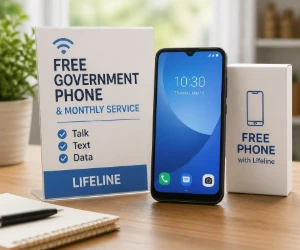
Start by Checking Whether You Qualify
Lifeline is a federal benefit for eligible low-income households. You may qualify based on household income or participation in a government assistance program such as SNAP, Medicaid, Supplemental Security Income, Federal Public Housing Assistance or the Veterans Pension and Survivors Benefit.
Additional qualifying programs apply on Tribal lands. Eligibility rules and required documents can change, so use the official Lifeline qualification page to check your household before selecting a phone company.
Compare Lifeline Phone Providers
Available companies, plans and devices depend on your state and ZIP code. These providers currently let eligible customers check for Lifeline wireless service and possible phone offers.
- Assurance Wireless: Check your ZIP code for Lifeline service that may include monthly talk, text and data, plus a phone offer where available. See the Assurance Wireless offer.
- SafeLink Wireless: Apply for Lifeline-supported wireless service and review the benefits offered in your area. Check SafeLink availability.
- AirTalk Wireless: Eligible new customers may find free monthly service and a choice of phone or other connected-device offers, depending on location and availability. See AirTalk Wireless options.
- Cintex Wireless: Check whether Cintex serves your state and what Lifeline phone choices are currently available. View the Cintex Wireless offer.
Do not assume that every provider includes the same phone, data allowance or replacement policy. Enter your location and compare the actual plan details before enrolling.
How to Apply in 3 Steps
-
1
Confirm Your Eligibility
Apply through the official Lifeline system or ask a participating provider to help. You may need proof of identity, address, income or participation in a qualifying program.
-
2
Find Companies Serving Your Area
Use your ZIP code to compare coverage, monthly data, phone availability and any charges. The official Companies Near Me tool can help identify participating providers.
-
3
Choose One Provider and Enroll
Submit the requested information and wait for approval before depending on the service. Keep copies of any confirmation and note whether the phone is included, discounted or requires an upgrade payment.
What “Free Government Phone” Really Means
Lifeline itself provides a monthly discount on eligible phone or internet service. A participating wireless company may combine that benefit with a no-cost service plan and promotional phone, which is why these offers are often called free government phones.
The exact device is not guaranteed by the federal program. Phone models, network coverage, data allowances, activation costs and availability can vary by provider, state and inventory.
Know the One-Per-Household Rule
Only one Lifeline benefit is generally allowed per household, not one per person. A household means people who live together and share income and expenses.
Roommates who live at the same address but do not share finances may be treated as separate households, although an additional worksheet may be required. Do not submit applications with several providers hoping to collect multiple phones; doing so can cause the benefit to be canceled.
Before You Choose a Provider
Check coverage at the places where you will actually use the phone. Then compare the included data, hotspot access, international calling, device condition, replacement policy and any activation or upgrade costs.
You may also need to use the service regularly and confirm your eligibility when requested. Read the provider’s current terms so the benefit does not lapse because of inactivity or missing information.
Find More Practical Ways to Get Things Free
A phone is only one expense that can sometimes be reduced through assistance programs, rewards and legitimate free offers. Browse more freebie guides and tutorials for step-by-step help finding and claiming useful freebies.