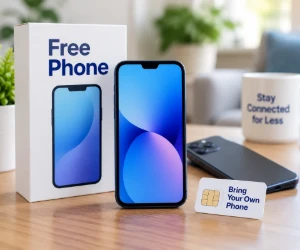
A Working Smartphone Can Be Worth Keeping
A phone with a reliable battery, enough storage and support for current apps may have plenty of useful life left. Keeping it also means keeping familiar settings, a case and charging accessories.
SafeLink Wireless lets customers bring a compatible phone. Assurance Wireless's compatibility checker checks a phone using its IMEI, the device identification number found in its settings. Compatibility and carrier unlocking are separate checks; a phone brought from another carrier needs to meet both requirements.
A Free Phone When a Replacement Is Needed
For someone with a broken phone or no smartphone, a device offer can make a bigger difference. AirTalk Wireless offers free smartphone options with Lifeline service for eligible customers. Its ZIP code check shows the offers available locally.
A practical comparison starts with the screen, storage and apps used most often. Someone who mainly calls and texts may value simple controls, while a student or job seeker may need room for school apps, email and documents. Available models vary by location and stock.
More Phone Finds
Unlocked Phones · Cell Phone Plans · Phone Accessories
Keeping a Familiar Phone Number
A familiar number is useful for family contacts, appointment reminders and account sign-ins. Many numbers can move to a new provider through a number transfer, also called porting.
The receiving provider usually needs the current account number and transfer PIN or account PIN, depending on the carrier. The existing service stays active until the transfer is confirmed. Keeping those details handy can make the switch easier, whether the phone itself changes or stays the same.
Making the Monthly Data Go Further
The current carrier's usage history helps show how much mobile data a household actually uses. Calls and email need a different plan from daily video streaming away from Wi-Fi. Coverage at home, work or school also deserves a place in the comparison.
Large app downloads and updates can run over home Wi-Fi. On supported Android phones, Data Saver reduces background mobile data use; on iPhone, Low Data Mode serves a similar purpose. These settings can help stretch an included data allowance.
Keeping the Savings After the Switch
A case and a compatible charger may be all the accessories a phone needs. An existing pair of headphones can still be useful, and extra data purchases are easier to avoid when actual usage guides the plan choice.
OFree's Lifeline phone and service guide explains the application process. More offers appear in Free Cell Phones & Wireless Service and Free Electronics & Gadgets.